
Pythonスクレイピング実践|Scrapy入門編:簡単チュートリアル【Windows】【PyCharm】【初心者向け】
/ 19 min read
Table of Contents
この記事で扱う内容
この記事では、PythonのWebスクレイピングフレームワークである「Scrapy」を使い、Pythonでスクレイピングする方法についてご紹介します。
前提
前提知識・前提スキル
-
Windows OS の基本操作ができる人
-
Pythonの基礎知識がある人
前提環境
- 使用PC
- OS が Windows 10または 11であること
- Pythonがインストールされていること
- PyCharmがインストールされていること
 参考記事Pythonのダウンロード・インストール方法【Windows】【初心者向け】
 参考記事PyCharmのダウンロードとインストール方法【日本語化も】【Windows】【初心者向け】
 参考記事PyCharmでPythonのvenvを使うための設定方法【仮想環境】【Windows】【初心者向け】
開発環境
-
統合開発環境(IDE)
- PyCharm 2025.1.1.1
-
プログラミング言語
- Python 3.13.4
-
使用ライブラリ
- Scrapy 2.13.2
- 上記のScrapyに付随するライブラリ
スクレイピングとは
スクレイピング(Webスクレイピング)とは、Webサイト上に公開されている情報をプログラムを使って自動的に取得する技術のことです。
例えば、商品一覧ページから価格や商品名だけを取り出したり、ニュースサイトの記事タイトルを毎日収集したりする、などの使い方ができます。
本来、ブラウザで見る情報を、プログラムに処理させて取得・保存することで、コピー&ペーストを繰り返すような手作業の手間を省いたり、定期的なデータ収集を自動化することができます。
Scrapyとは
Scrapy(スクレイピー)とは、Pythonで書かれた高機能なWebスクレイピング用フレームワークです。
Webデータ(HTMLファイルなど)から特定の情報を抽出し、CSVやJSONなどに保存したり、複数ページを巡回して情報を自動で集めたりすることができます。
他のライブラリ(requestsやBeautiful Soup)に比べて、非同期処理による高速な動作や、大規模なスクレイピングシステムの構築に向いた設計が特徴です。
大量のデータを効率よく収集したい場合や、定期的に実行したいスクレイピング処理に特に向いています。
Scrapyを使うための事前準備
Scrapy用のPythonプロジェクト(venv仮想環境)を作成する
以下を参考にしてください。
https://sepapalab.com/how-to-set-up-pycharm-to-use-python-venv-virtual-environment/#toc7
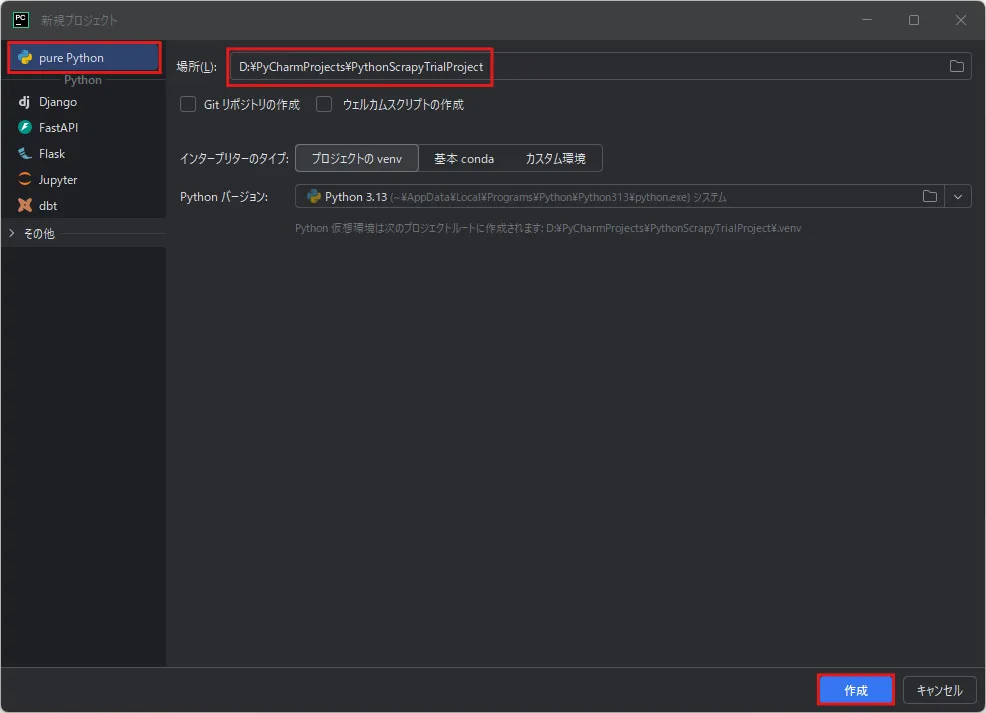
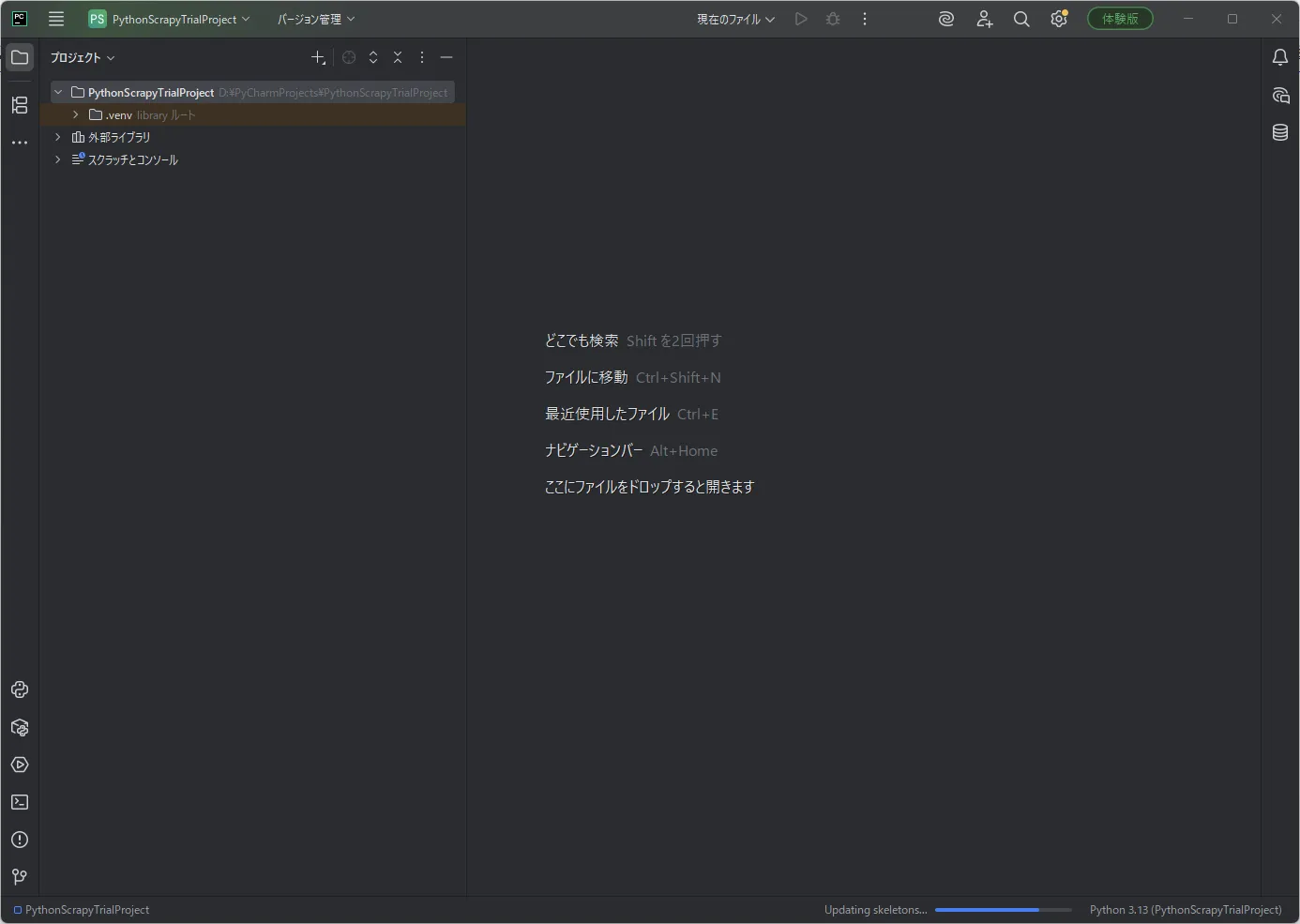
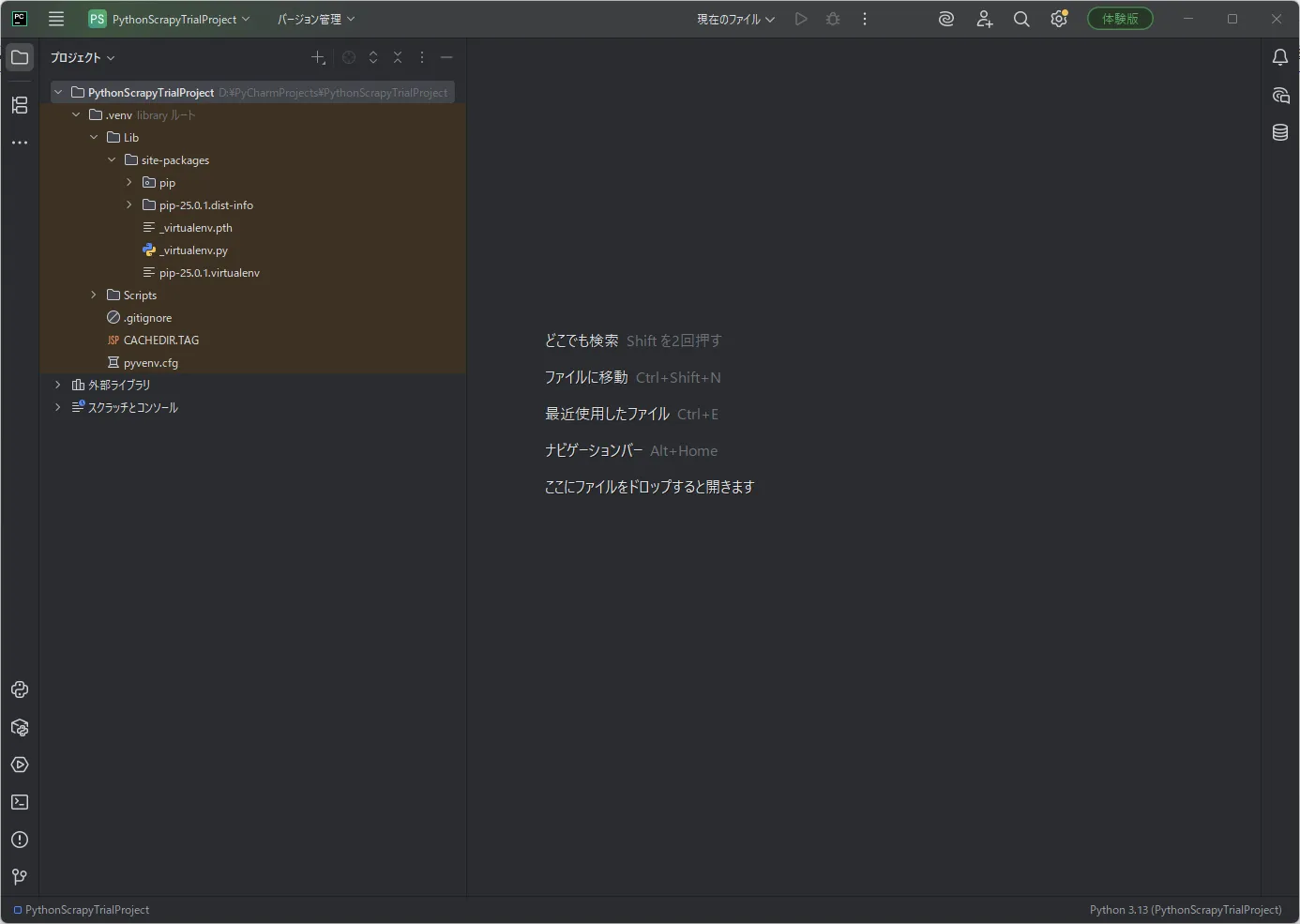
今回は例として、「D:\PyCharmProjects\」フォルダに、「PythonScrapyTrialProject」という名前のPythonプロジェクトを作成しました。
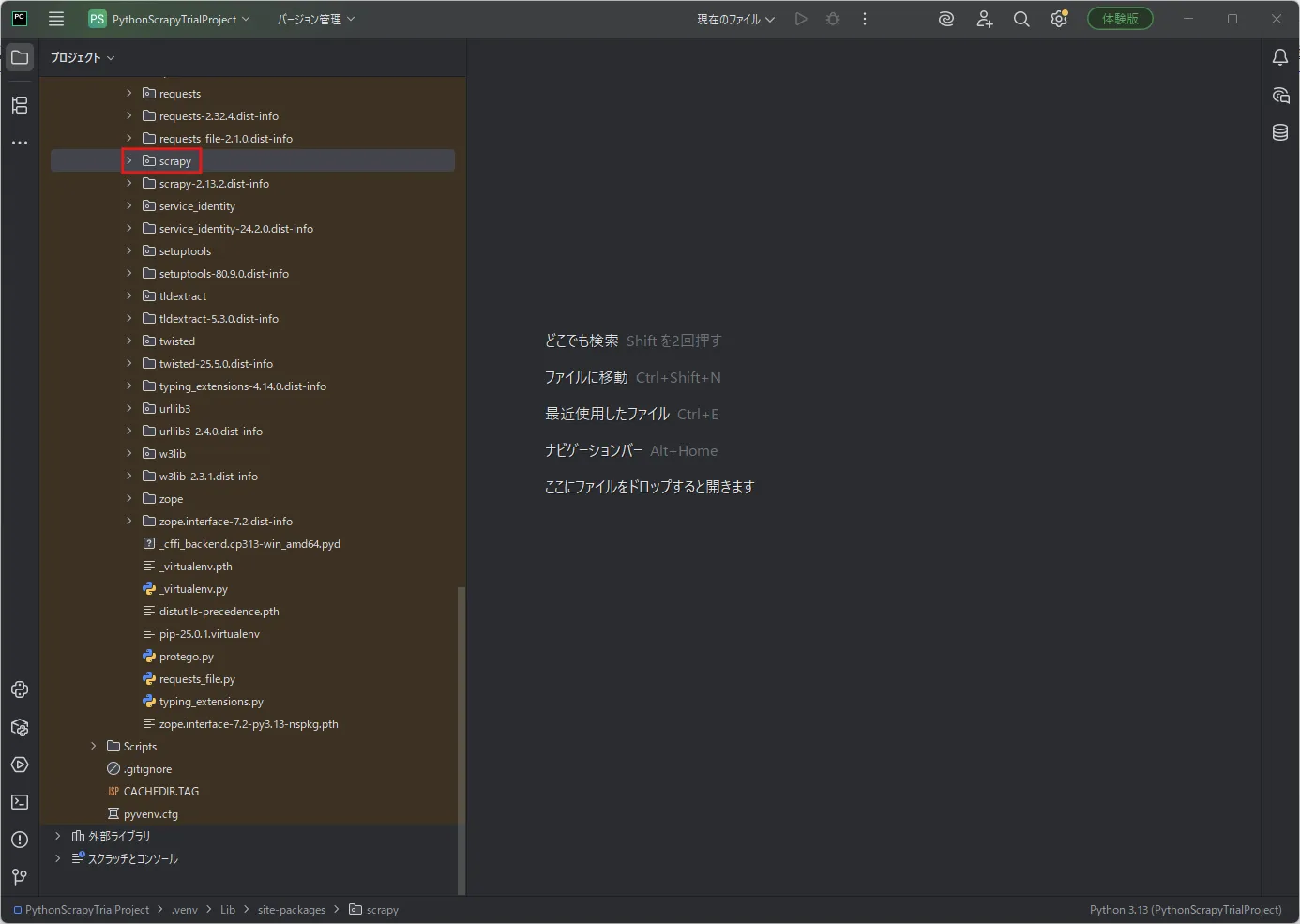
Scrapy用に作成したPythonプロジェクトへ「Scrapy」をインストールする
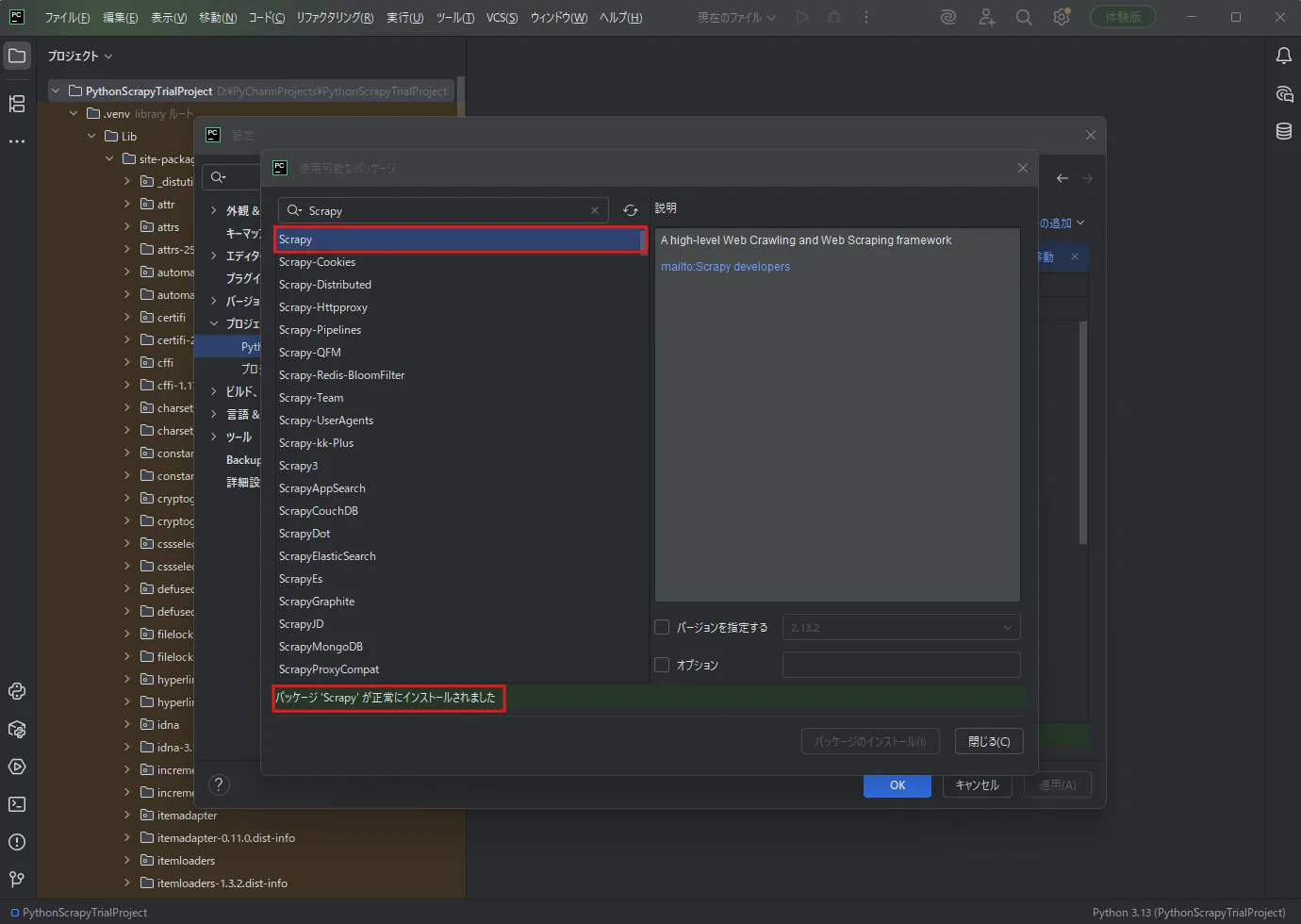
以下を参考にしてください。
 参考記事PyCharmでvenv仮想環境へパッケージをインストールする方法【Windows 】【初心者向け】
例)
Scrapyの使い方
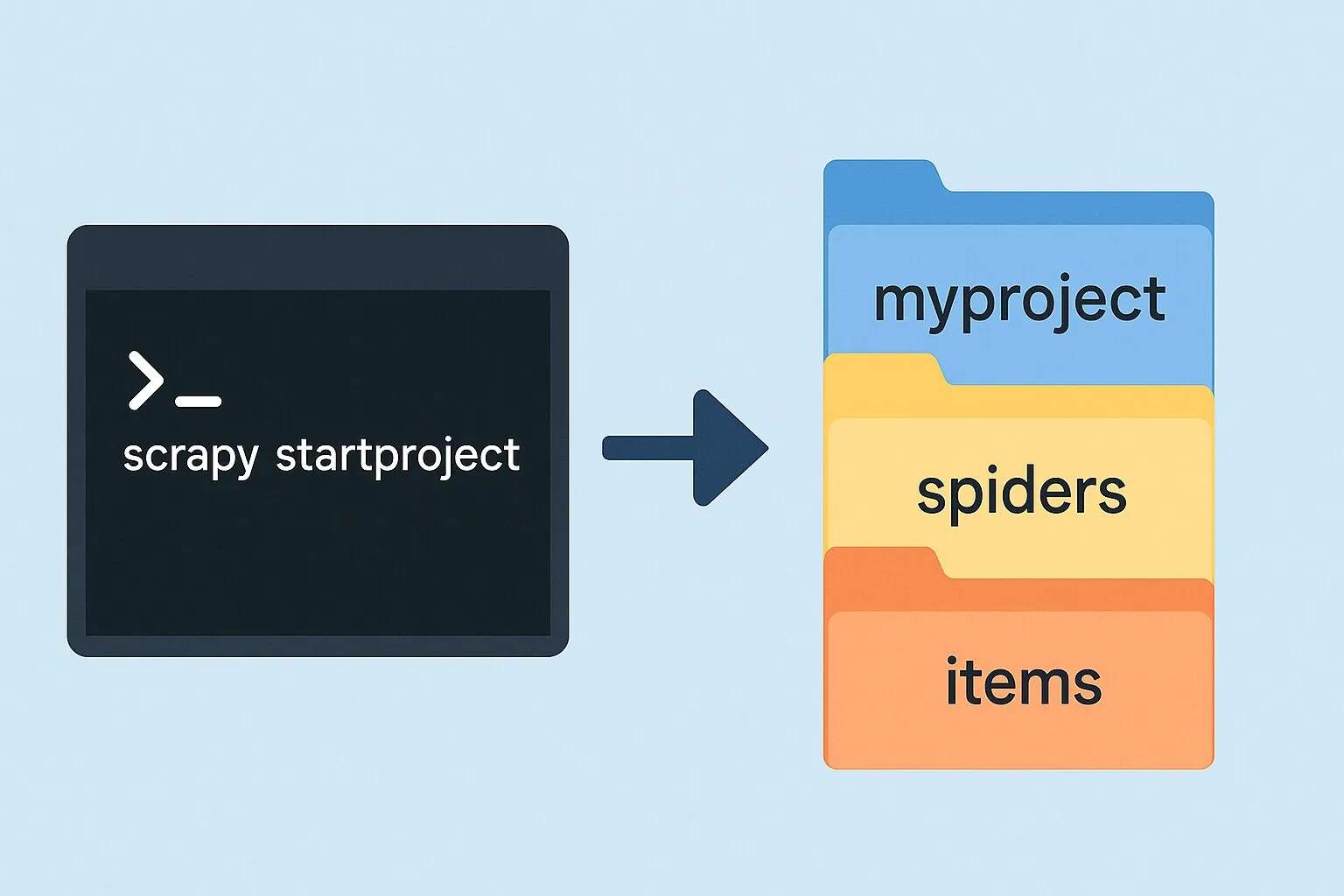
Scrapyプロジェクトを作成する
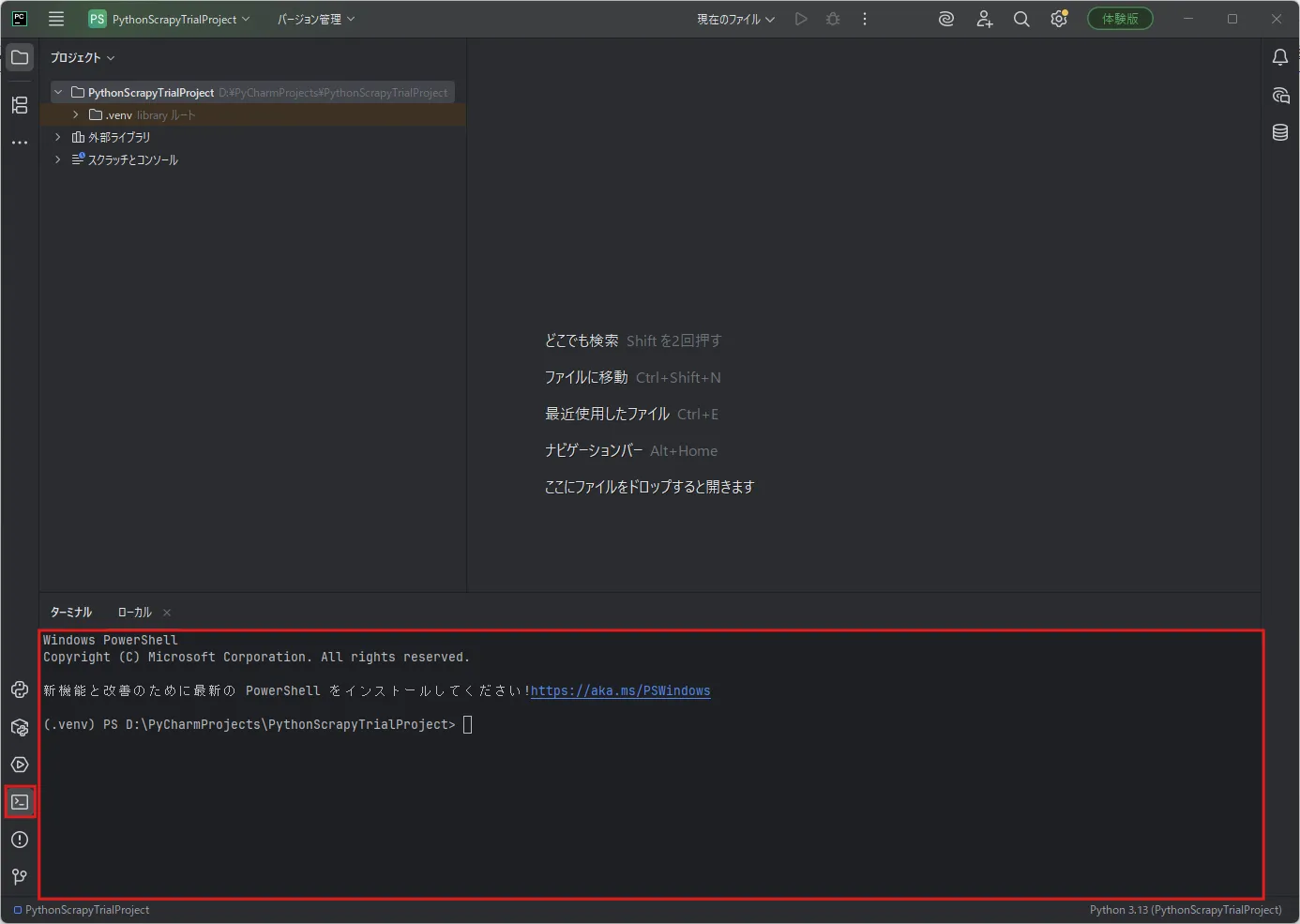
「ターミナル」ウィンドウを開き、PowerShellのウィンドウを表示する
「ターミナル」ウィンドウで「Set-Location」コマンドを実行し、任意のディレクトリに移動する
今回は、Pythonプロジェクトの最上位ディレクトリでScrapyプロジェクトを作成します。
コマンド例)
Set-Location -Path D:\PyCharmProjects\PythonScrapyTrialProject実行結果例)
戻り値なし「ターミナル」ウィンドウで「scrapy startproject」コマンドを実行し、Scrapyプロジェクトを作成する
今回は例として、「trial」という名前でScrapyプロジェクトを作成します。
コマンド例)
scrapy startproject trial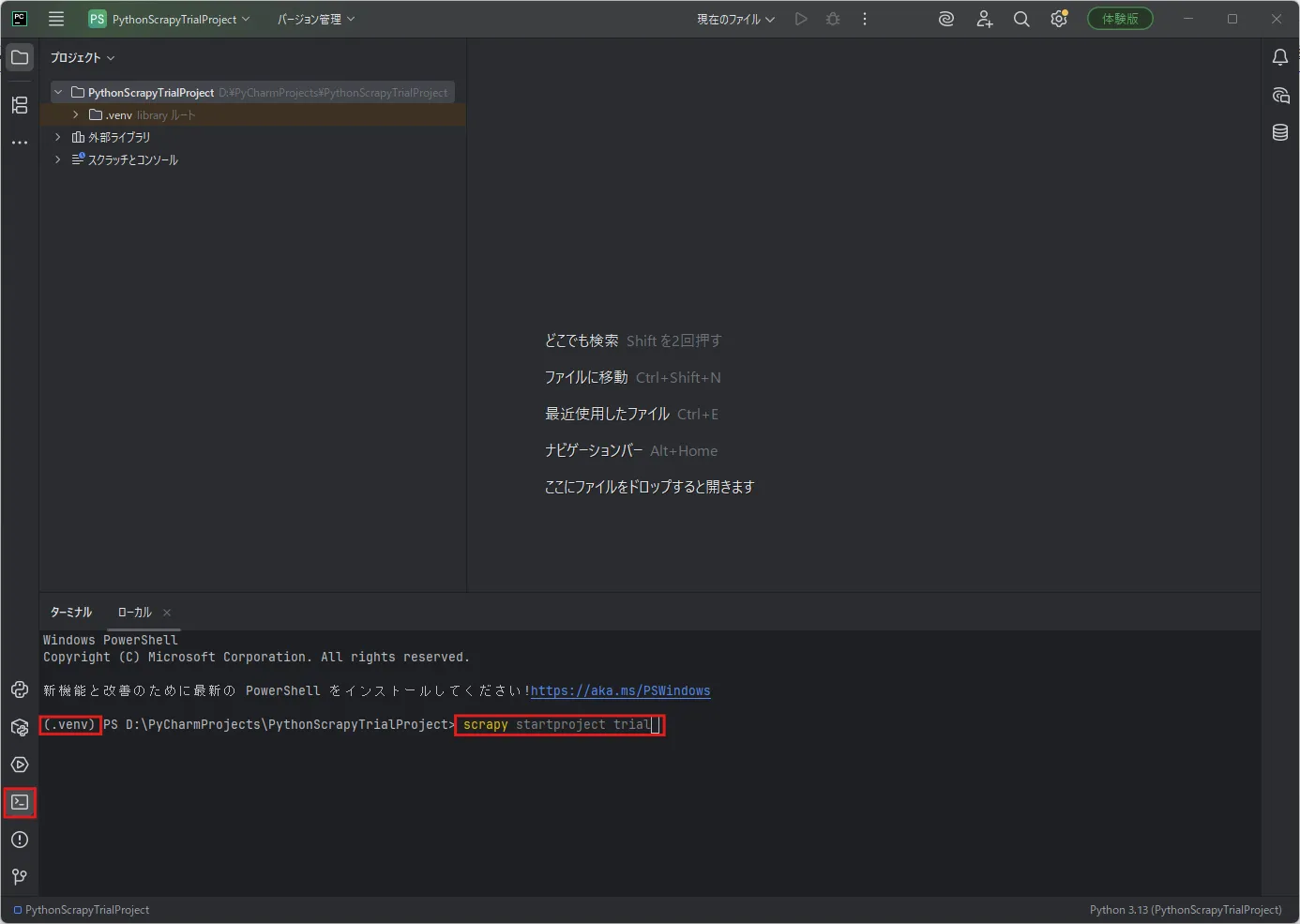
実行結果例)
New Scrapy project 'trial', using template directory 'D:\PyCharmProjects\PythonScrapyTrialProject\.venv\Lib\site-packages\scrapy\templates\project', created in:    D:\PyCharmProjects\PythonScrapyTrialProject\trial
You can start your first spider with:    cd trial    scrapy genspider example example.com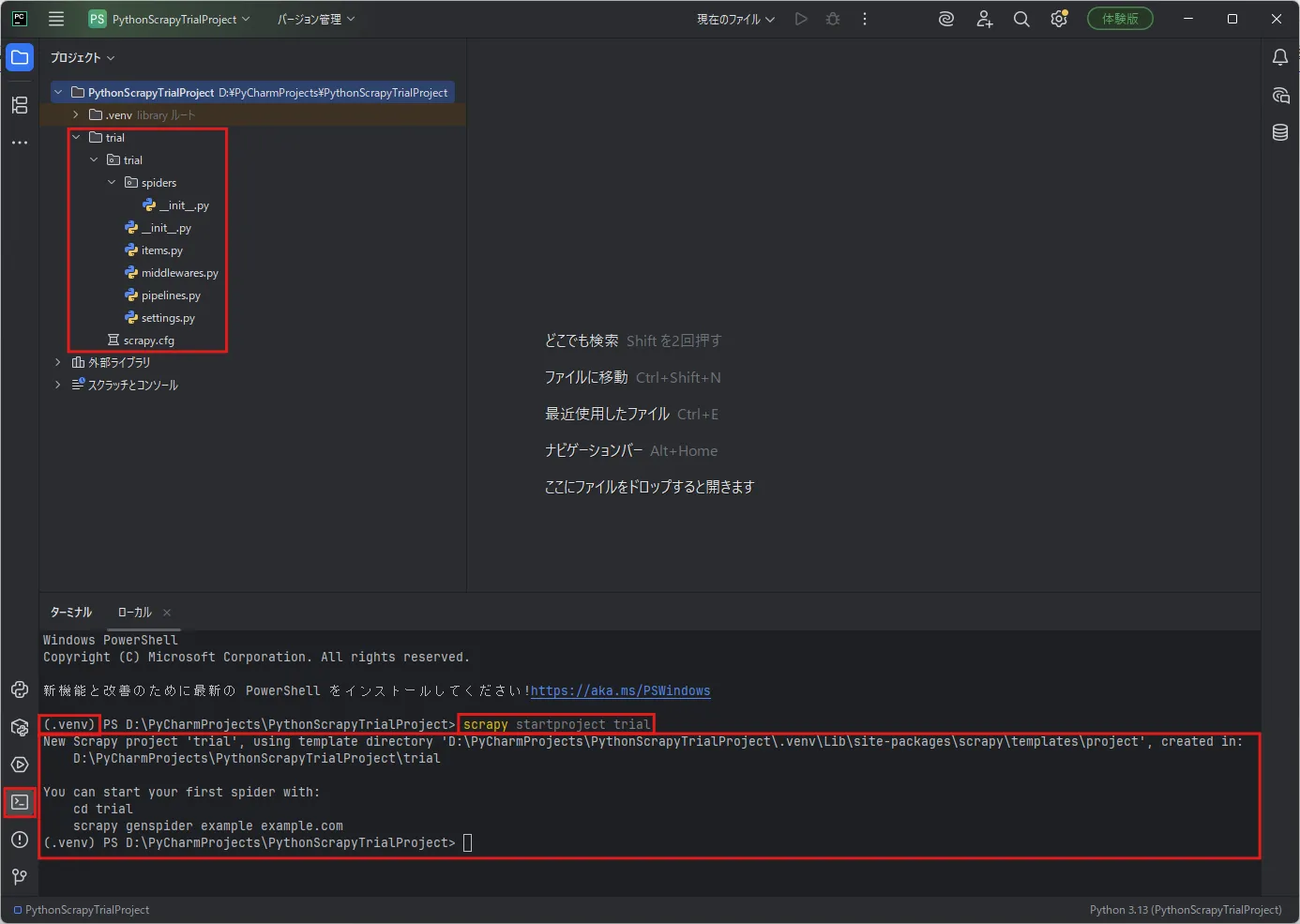
作成ファイル内容例
D:\PyCharmProjects\PythonScrapyTrialProject\trial\直下のファイル
# Automatically created by: scrapy startproject## For more information about the [deploy] section see:# https://scrapyd.readthedocs.io/en/latest/deploy.html
[settings]default = trial.settings
[deploy]#url = http://localhost:6800/project = trial
D:\PyCharmProjects\PythonScrapyTrialProject\trial\trial\直下のファイル
# This package will contain the spiders of your Scrapy project## Please refer to the documentation for information on how to create and manage# your spiders.# Define here the models for your scraped items## See documentation in:# https://docs.scrapy.org/en/latest/topics/items.html
import scrapy
class TrialItem(scrapy.Item): # define the fields for your item here like: # name = scrapy.Field() pass# Define here the models for your spider middleware## See documentation in:# https://docs.scrapy.org/en/latest/topics/spider-middleware.html
from scrapy import signals
# useful for handling different item types with a single interfacefrom itemadapter import ItemAdapter
class TrialSpiderMiddleware: # Not all methods need to be defined. If a method is not defined, # scrapy acts as if the spider middleware does not modify the # passed objects.
@classmethod def from_crawler(cls, crawler): # This method is used by Scrapy to create your spiders. s = cls() crawler.signals.connect(s.spider_opened, signal=signals.spider_opened) return s
def process_spider_input(self, response, spider): # Called for each response that goes through the spider # middleware and into the spider.
# Should return None or raise an exception. return None
def process_spider_output(self, response, result, spider): # Called with the results returned from the Spider, after # it has processed the response.
# Must return an iterable of Request, or item objects. for i in result: yield i
def process_spider_exception(self, response, exception, spider): # Called when a spider or process_spider_input() method # (from other spider middleware) raises an exception.
# Should return either None or an iterable of Request or item objects. pass
async def process_start(self, start): # Called with an async iterator over the spider start() method or the # maching method of an earlier spider middleware. async for item_or_request in start: yield item_or_request
def spider_opened(self, spider): spider.logger.info("Spider opened: %s" % spider.name)
class TrialDownloaderMiddleware: # Not all methods need to be defined. If a method is not defined, # scrapy acts as if the downloader middleware does not modify the # passed objects.
@classmethod def from_crawler(cls, crawler): # This method is used by Scrapy to create your spiders. s = cls() crawler.signals.connect(s.spider_opened, signal=signals.spider_opened) return s
def process_request(self, request, spider): # Called for each request that goes through the downloader # middleware.
# Must either: # - return None: continue processing this request # - or return a Response object # - or return a Request object # - or raise IgnoreRequest: process_exception() methods of # installed downloader middleware will be called return None
def process_response(self, request, response, spider): # Called with the response returned from the downloader.
# Must either; # - return a Response object # - return a Request object # - or raise IgnoreRequest return response
def process_exception(self, request, exception, spider): # Called when a download handler or a process_request() # (from other downloader middleware) raises an exception.
# Must either: # - return None: continue processing this exception # - return a Response object: stops process_exception() chain # - return a Request object: stops process_exception() chain pass
def spider_opened(self, spider): spider.logger.info("Spider opened: %s" % spider.name)# Define your item pipelines here## Don't forget to add your pipeline to the ITEM_PIPELINES setting# See: https://docs.scrapy.org/en/latest/topics/item-pipeline.html
# useful for handling different item types with a single interfacefrom itemadapter import ItemAdapter
class TrialPipeline: def process_item(self, item, spider): return item# Scrapy settings for trial project## For simplicity, this file contains only settings considered important or# commonly used. You can find more settings consulting the documentation:## https://docs.scrapy.org/en/latest/topics/settings.html# https://docs.scrapy.org/en/latest/topics/downloader-middleware.html# https://docs.scrapy.org/en/latest/topics/spider-middleware.html
BOT_NAME = "trial"
SPIDER_MODULES = ["trial.spiders"]NEWSPIDER_MODULE = "trial.spiders"
ADDONS = {}
# Crawl responsibly by identifying yourself (and your website) on the user-agent#USER_AGENT = "trial (+http://www.yourdomain.com)"
# Obey robots.txt rulesROBOTSTXT_OBEY = True
# Configure maximum concurrent requests performed by Scrapy (default: 16)#CONCURRENT_REQUESTS = 32
# Configure a delay for requests for the same website (default: 0)# See https://docs.scrapy.org/en/latest/topics/settings.html#download-delay# See also autothrottle settings and docs#DOWNLOAD_DELAY = 3# The download delay setting will honor only one of:#CONCURRENT_REQUESTS_PER_DOMAIN = 16#CONCURRENT_REQUESTS_PER_IP = 16
# Disable cookies (enabled by default)#COOKIES_ENABLED = False
# Disable Telnet Console (enabled by default)#TELNETCONSOLE_ENABLED = False
# Override the default request headers:#DEFAULT_REQUEST_HEADERS = {# "Accept": "text/html,application/xhtml+xml,application/xml;q=0.9,*/*;q=0.8",# "Accept-Language": "en",#}
# Enable or disable spider middlewares# See https://docs.scrapy.org/en/latest/topics/spider-middleware.html#SPIDER_MIDDLEWARES = {# "trial.middlewares.TrialSpiderMiddleware": 543,#}
# Enable or disable downloader middlewares# See https://docs.scrapy.org/en/latest/topics/downloader-middleware.html#DOWNLOADER_MIDDLEWARES = {# "trial.middlewares.TrialDownloaderMiddleware": 543,#}
# Enable or disable extensions# See https://docs.scrapy.org/en/latest/topics/extensions.html#EXTENSIONS = {# "scrapy.extensions.telnet.TelnetConsole": None,#}
# Configure item pipelines# See https://docs.scrapy.org/en/latest/topics/item-pipeline.html#ITEM_PIPELINES = {# "trial.pipelines.TrialPipeline": 300,#}
# Enable and configure the AutoThrottle extension (disabled by default)# See https://docs.scrapy.org/en/latest/topics/autothrottle.html#AUTOTHROTTLE_ENABLED = True# The initial download delay#AUTOTHROTTLE_START_DELAY = 5# The maximum download delay to be set in case of high latencies#AUTOTHROTTLE_MAX_DELAY = 60# The average number of requests Scrapy should be sending in parallel to# each remote server#AUTOTHROTTLE_TARGET_CONCURRENCY = 1.0# Enable showing throttling stats for every response received:#AUTOTHROTTLE_DEBUG = False
# Enable and configure HTTP caching (disabled by default)# See https://docs.scrapy.org/en/latest/topics/downloader-middleware.html#httpcache-middleware-settings#HTTPCACHE_ENABLED = True#HTTPCACHE_EXPIRATION_SECS = 0#HTTPCACHE_DIR = "httpcache"#HTTPCACHE_IGNORE_HTTP_CODES = []#HTTPCACHE_STORAGE = "scrapy.extensions.httpcache.FilesystemCacheStorage"
# Set settings whose default value is deprecated to a future-proof valueFEED_EXPORT_ENCODING = "utf-8"D:\PyCharmProjects\PythonScrapyTrialProject\trial\trial\spiders\直下のファイル
# This package will contain the spiders of your Scrapy project## Please refer to the documentation for information on how to create and manage# your spiders.スクレイピングに必要なユーザー定義用のSpiderクラスを作成する
「ターミナル」ウィンドウで「Set-Location」コマンドを実行し、「spiders」ディレクトリに移動する
コマンド例)
Set-Location -Path trial\trial\spiders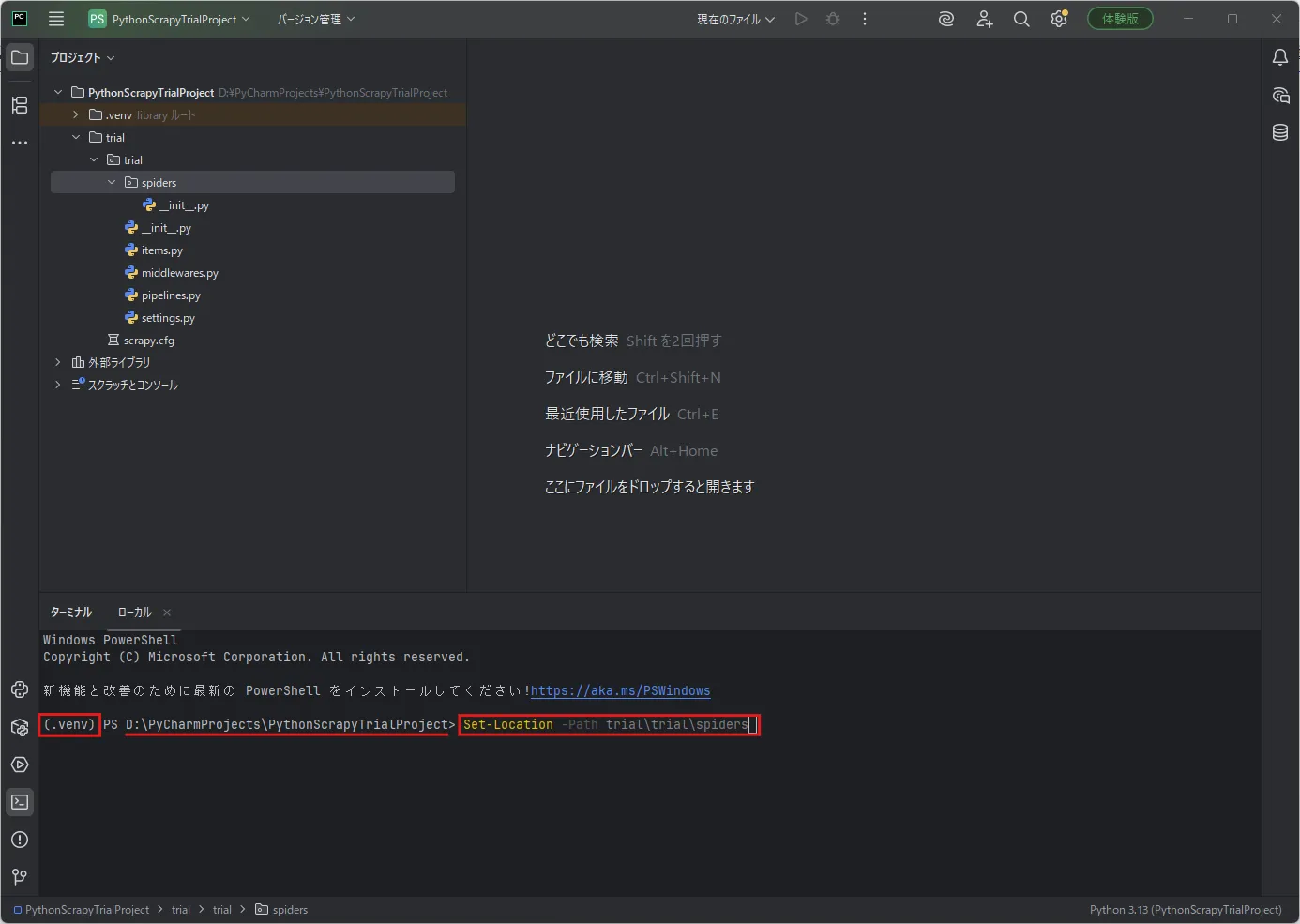
実行結果例)
戻り値なし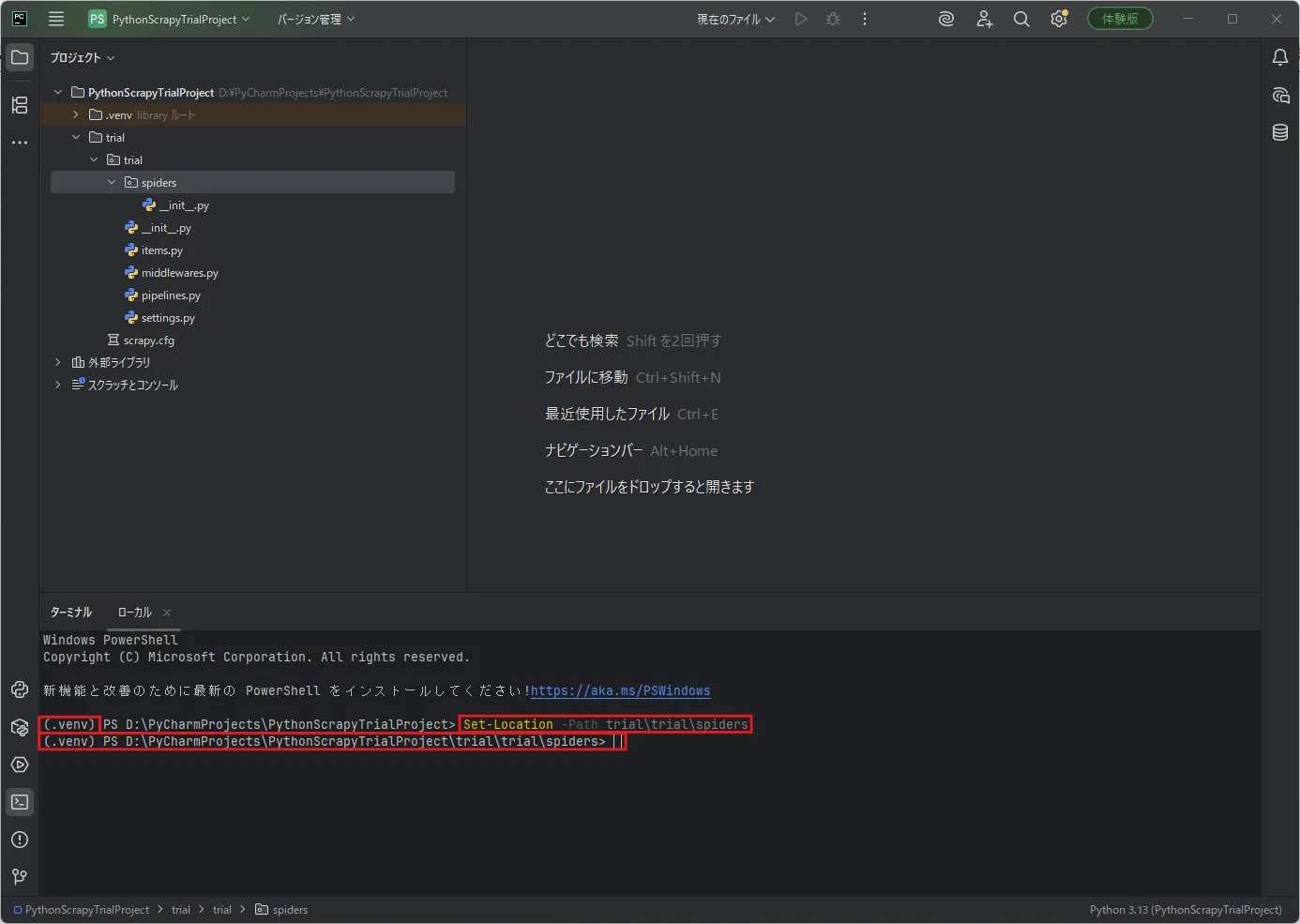
「ターミナル」ウィンドウで「scrapy genspider」コマンドを実行し、ユーザー定義用のSpiderクラスを作成する
今回は例として、「trial_spider」という名前でユーザー定義用のSpiderクラスを作成します。
コマンド例)
scrapy genspider trial_spider example.com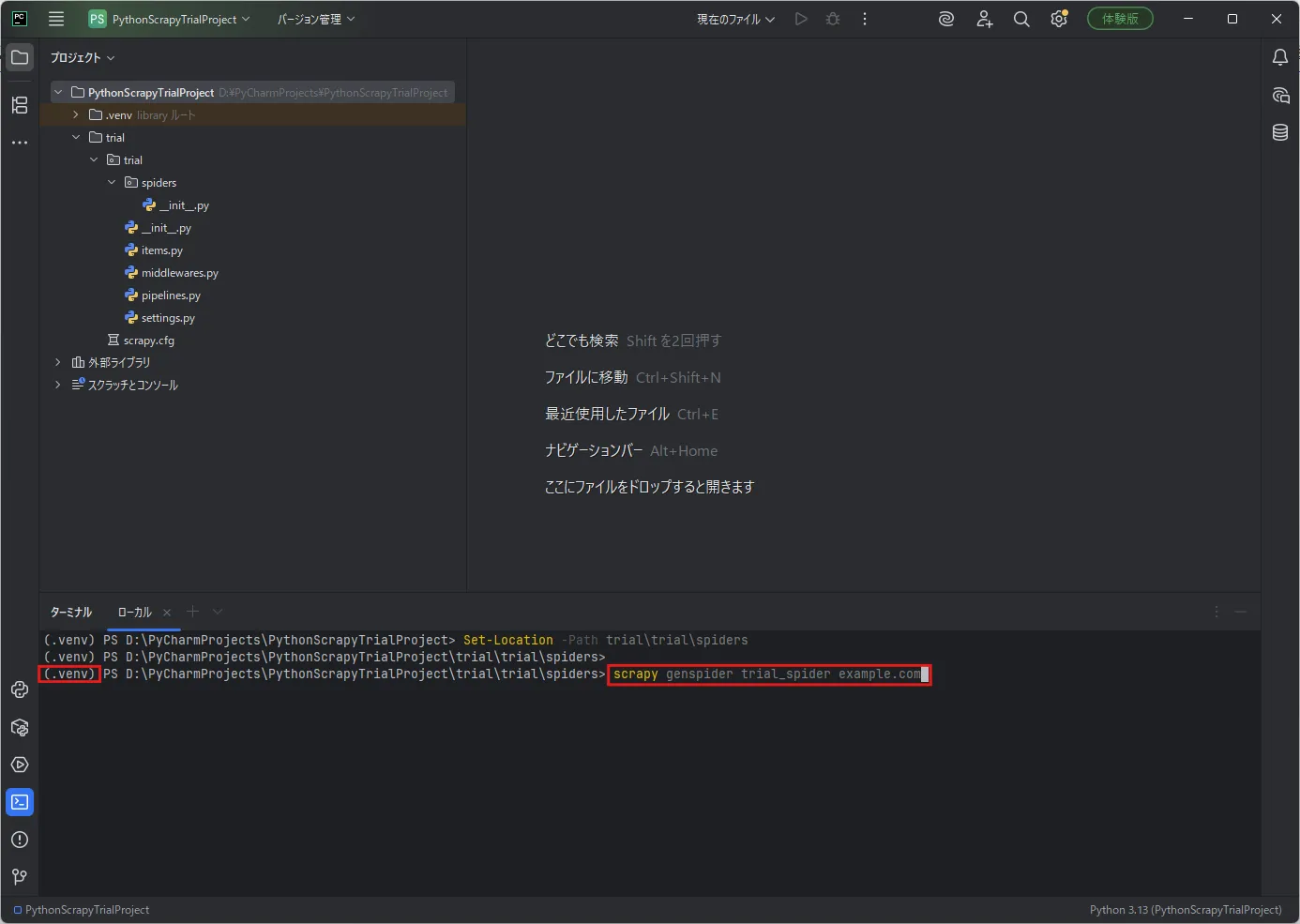
実行結果例)
Created spider 'trial_spider' using template 'basic' in module: trial.spiders.trial_spider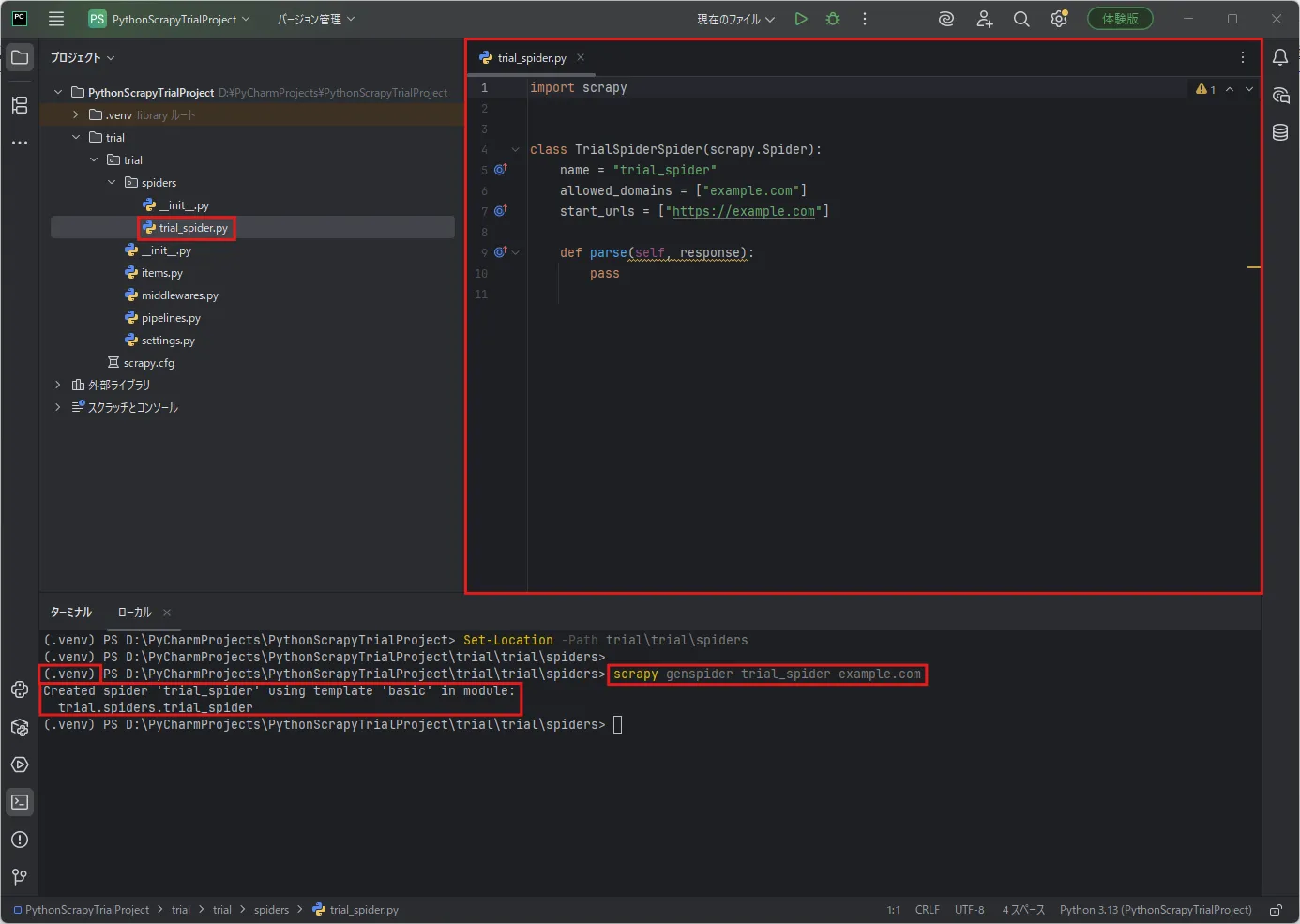
作成したユーザー定義用のSpiderクラスに処理を実装する
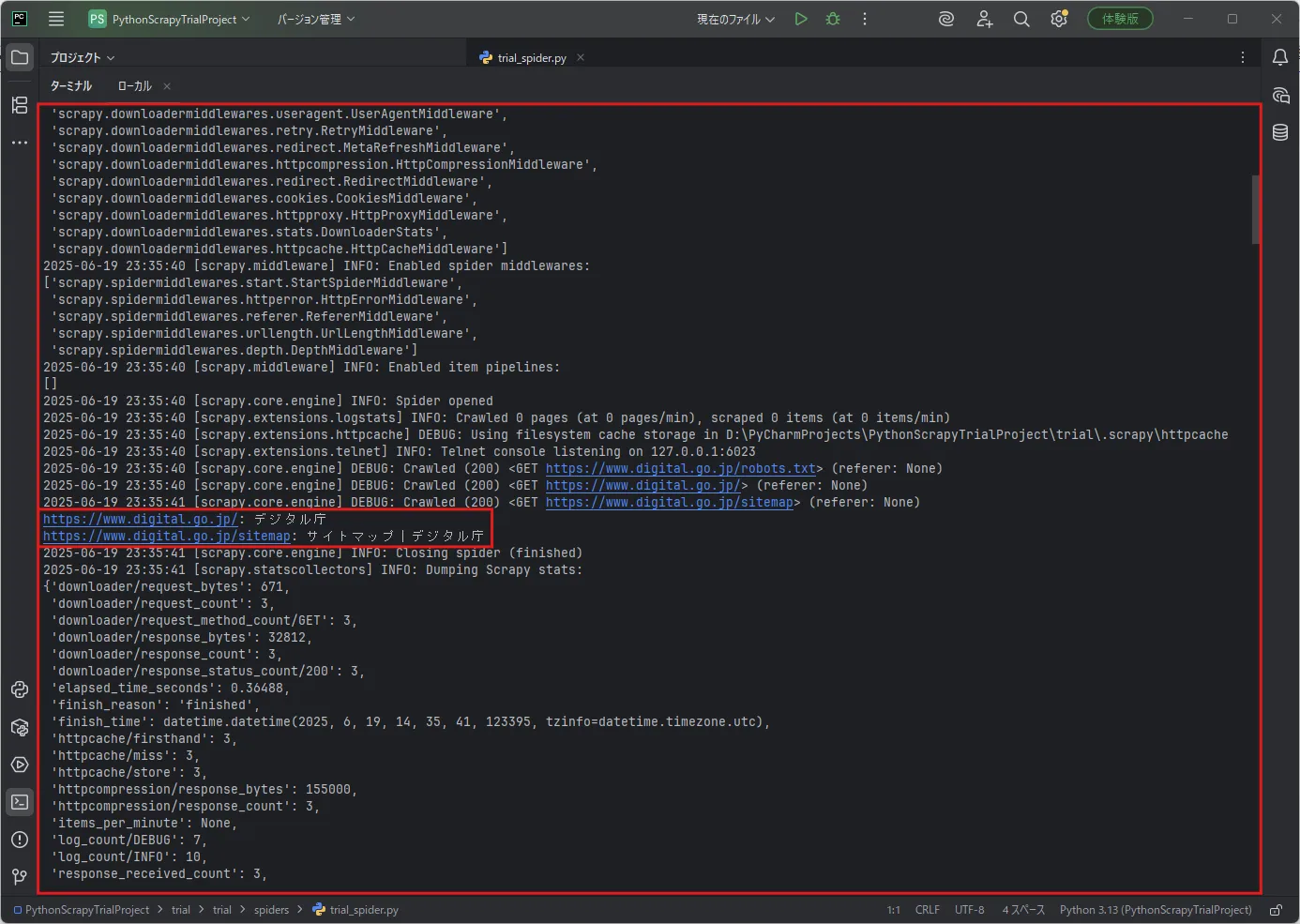
今回は例として、「デジタル庁公式サイト」の「トップ」ページと「サイトマップ」ページから、タイトル要素のテキストを取得するサンプルコードを実装しました。
※必要最小限のコードです。
実装例)
D:\PyCharmProjects\PythonScrapyTrialProject\trial\trial\spiders\
import scrapy
class TrialSpiderSpider(scrapy.Spider):    # 必須。スクレイピング実行時に指定する名前。    name = "trial_spider"
    # 任意。スクレイピング対象のドメインリスト。スクレイピング実行時、このドメインに限定される。    allowed_domains = ["digital.go.jp"]
    # 任意。スクレイピング対象のURLリスト。このURLにデータを収集しに行く。    start_urls = [        "https://www.digital.go.jp/",        "https://www.digital.go.jp/sitemap",    ]
    # スクレイピング時に呼ばれるメソッド。対象のURLごとに応答データ(response)を処理する    def parse(self, response, **kwargs):        # 対象のURLを取得する        url = response.url
        # title要素のテキストを取得する        title_text = response.css("title::text").get()
        # title要素のテキストをコンソールに表示する        print(f"{url}: {title_text}")
スクレイピングの設定を確認・変更する

Scrapyの設定ファイル(settings.py)の内容を確認・変更する
スクレイピングは、リクエストを連続で送信し続けると、対象Webサイトに迷惑(負荷)をかけてしまう場合があります。
そのような迷惑をかけないようにするためにも、設定ファイルでScrapyを制御しておきましょう。
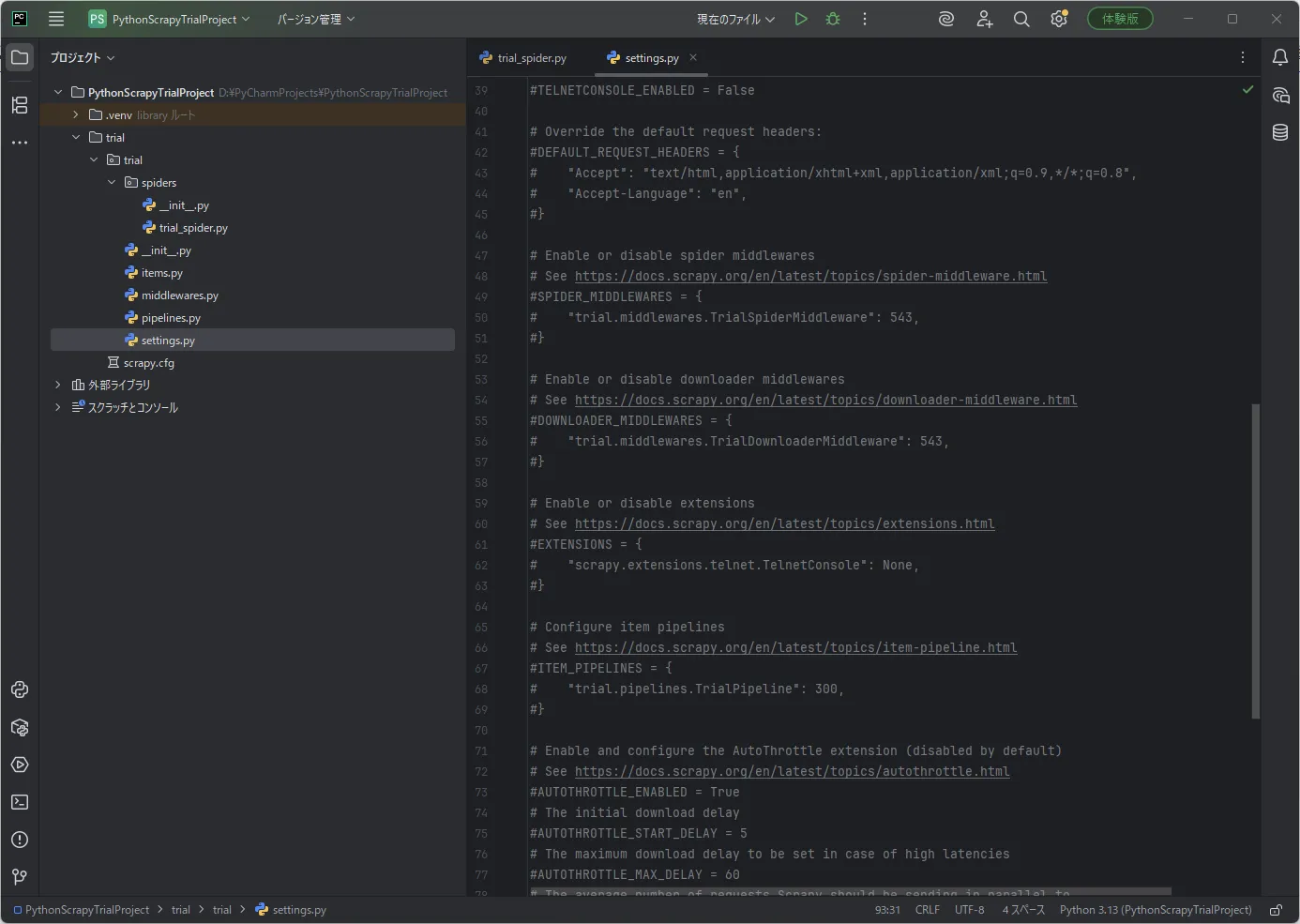
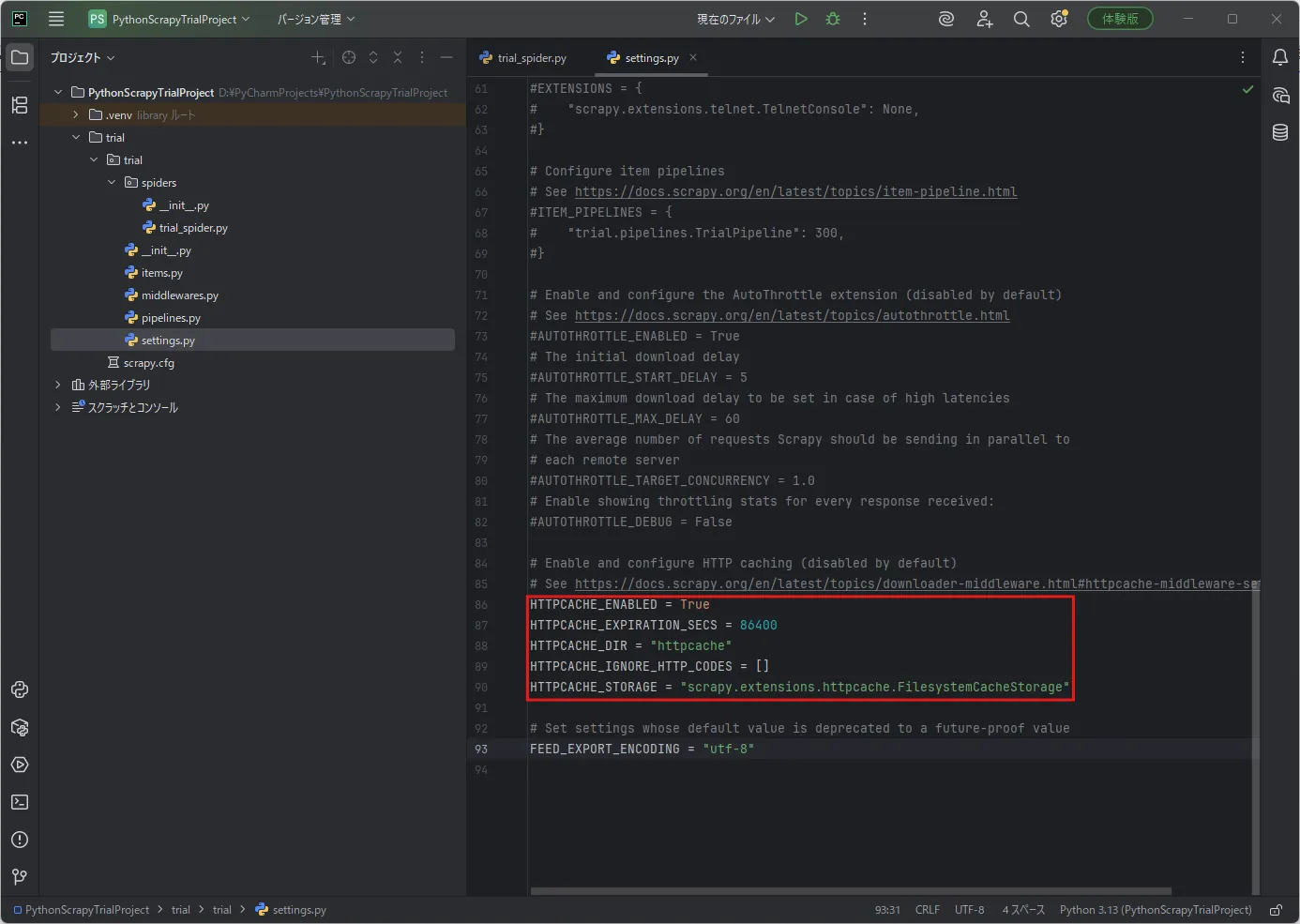
今回は例として、「リクエスト間の待機時間」と「HTTPキャッシュ」を設定します。
※必要最小限の変更です。
変更例)※初期設定からの変更箇所のみを抜粋しています。
# リクエスト間の待機を有効にする# 同じドメインへの連続したリクエスト間の待機時間が3秒になる。DOWNLOAD_DELAY = 3  # ここで待機時間を3秒に設定。
# HTTPキャッシュを有効にする。# 以下の設定により、1度リクエストして取得したデータは、1日経過するまでは使い回されるようになる。HTTPCACHE_ENABLED = TrueHTTPCACHE_EXPIRATION_SECS = 86400  # ここでキャッシュ期限を1日に設定。HTTPCACHE_DIR = "httpcache"HTTPCACHE_IGNORE_HTTP_CODES = []HTTPCACHE_STORAGE = "scrapy.extensions.httpcache.FilesystemCacheStorage"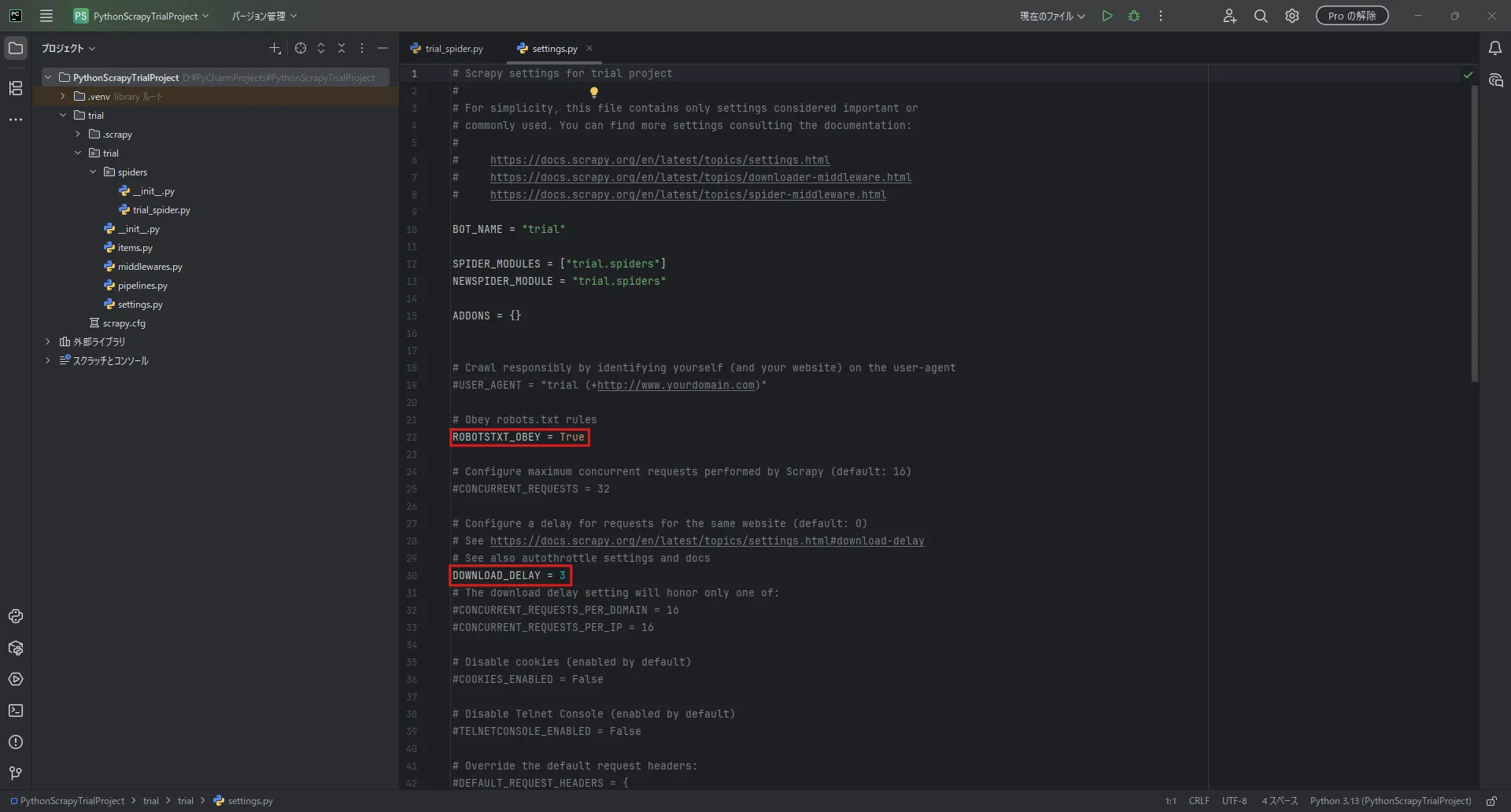
スクレイピングを実行する
「ターミナル」ウィンドウで「Set-Location」コマンドを実行し、Scrapyプロジェクトの最上位ディレクトリに移動する
コマンド例)
Set-Location -Path D:\PyCharmProjects\PythonScrapyTrialProject\trial\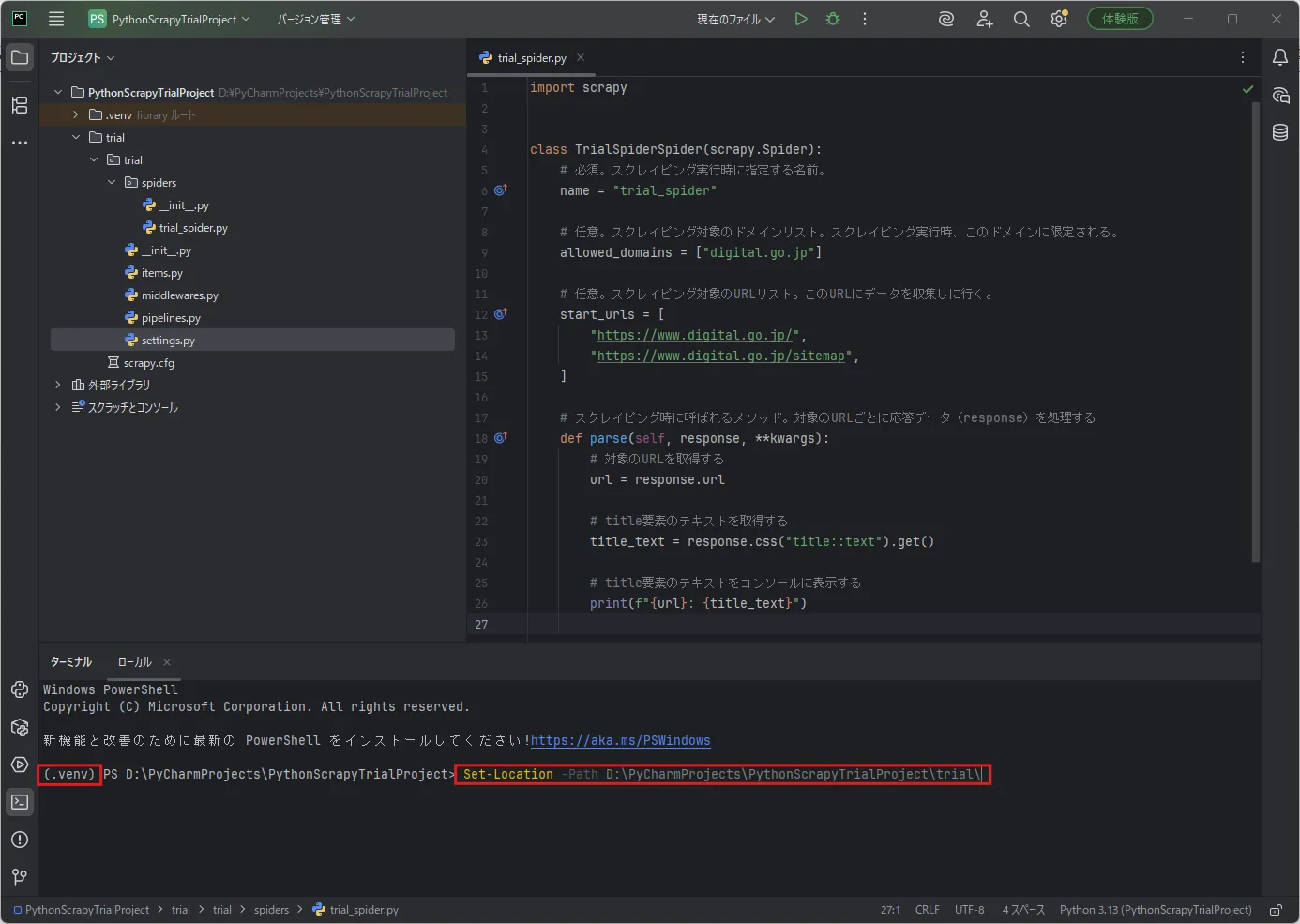
実行結果例)
戻り値なし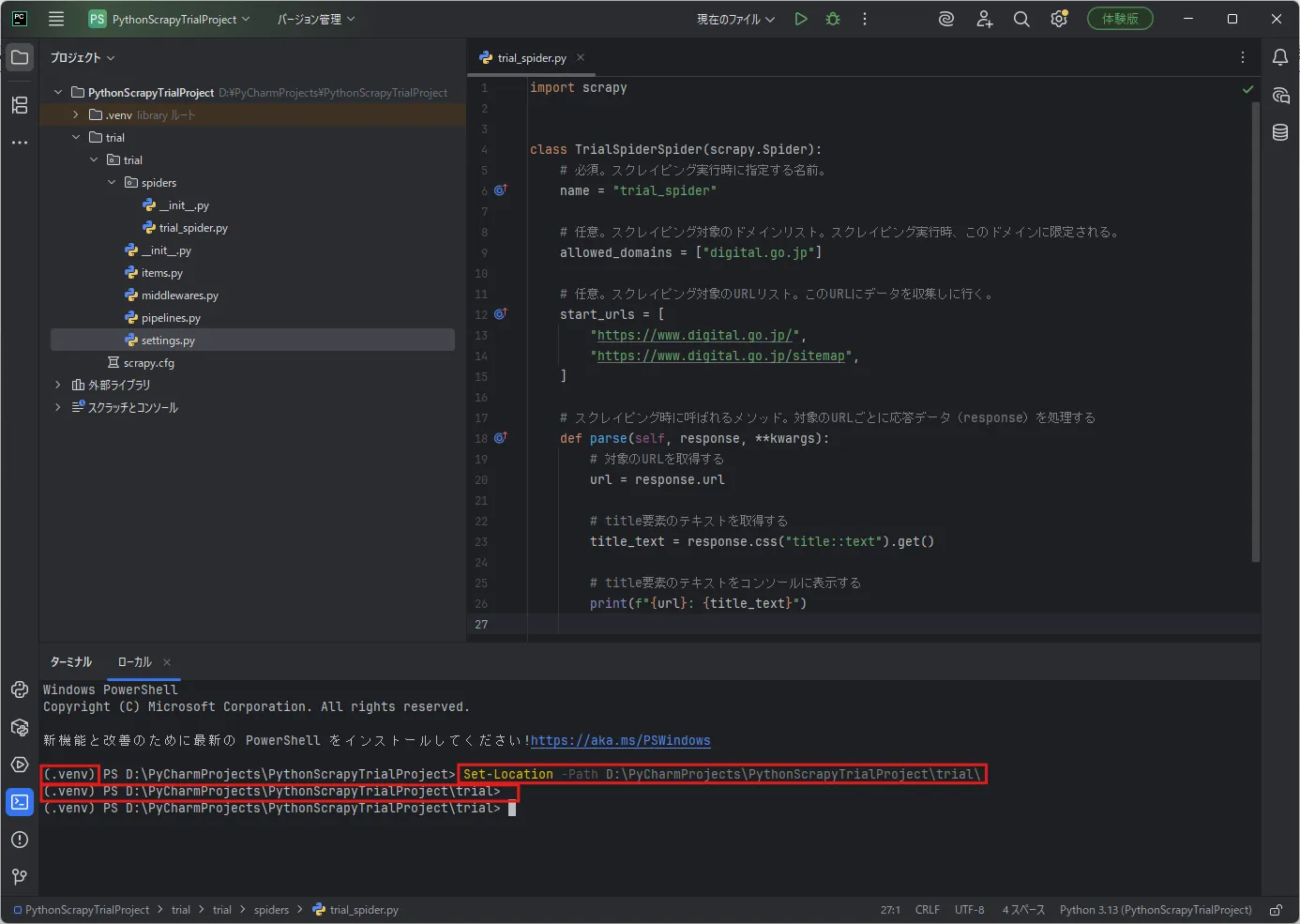
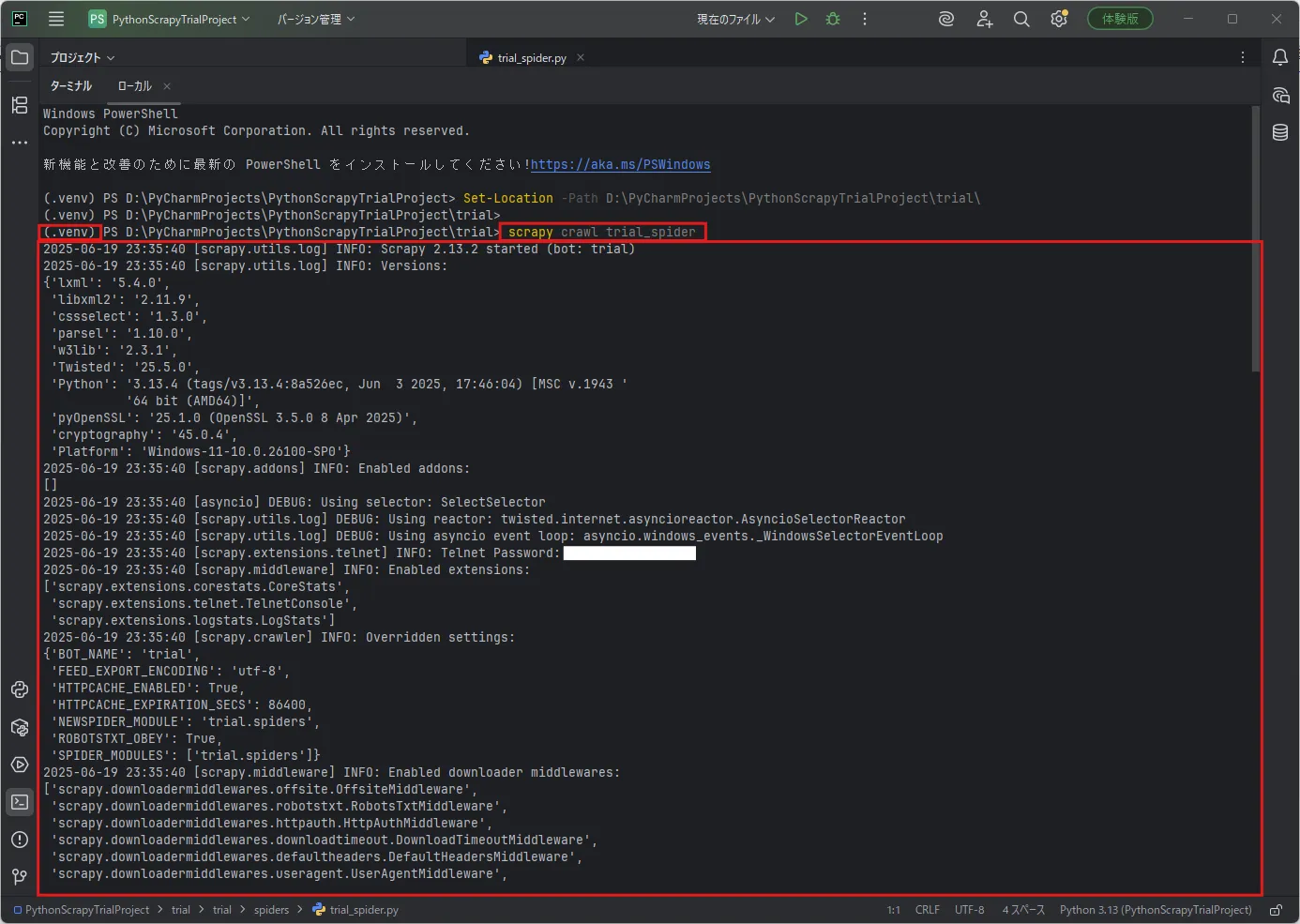
「ターミナル」ウィンドウで「scrapy crawl」コマンドを実行し、Scrapyによるスクレイピングを実行する
今回は例として、作成したユーザー定義用のSpiderクラス(指定名:trial_spider)を使い、スクレイピングを実行します。
コマンド例)
scrapy crawl trial_spider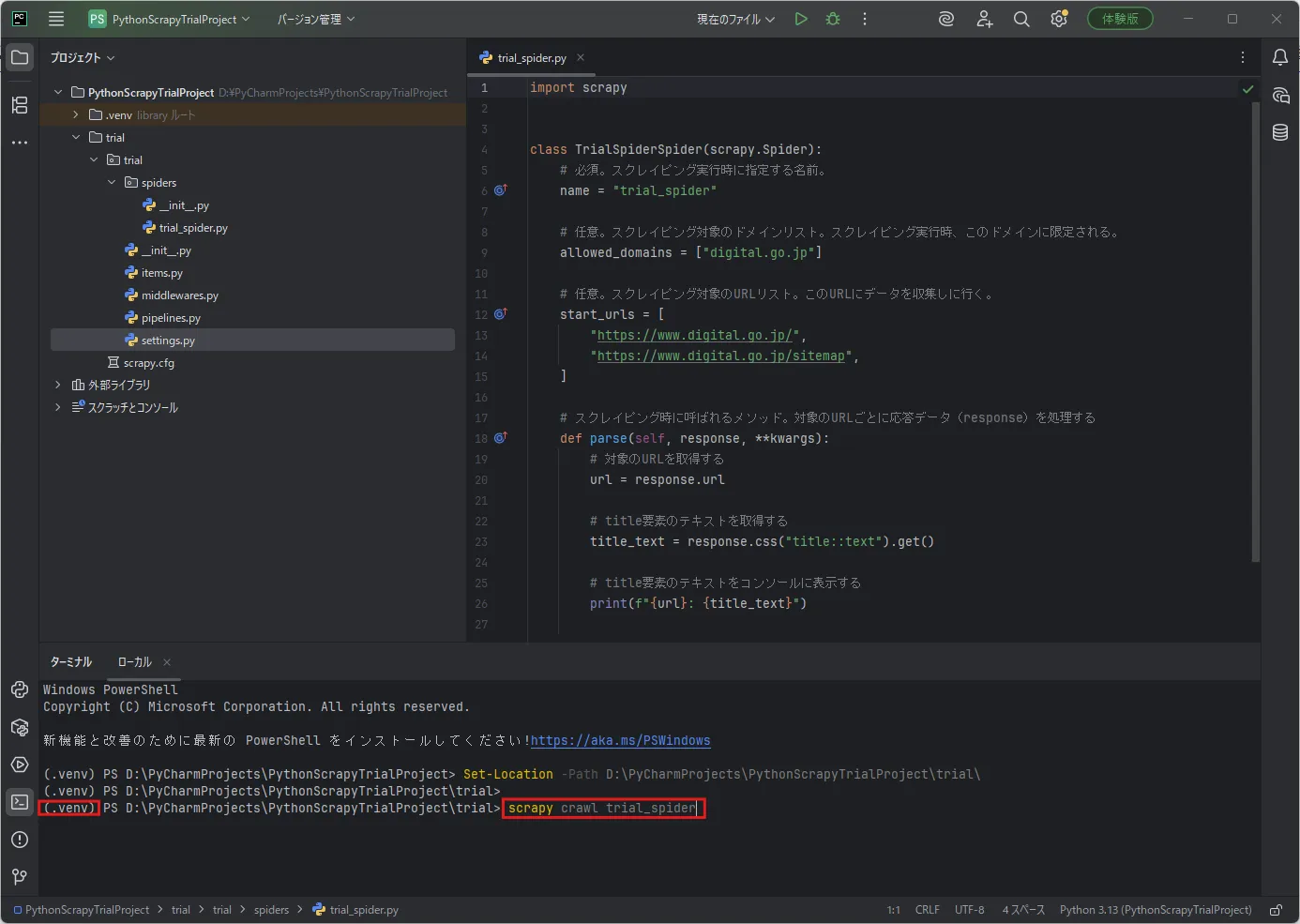
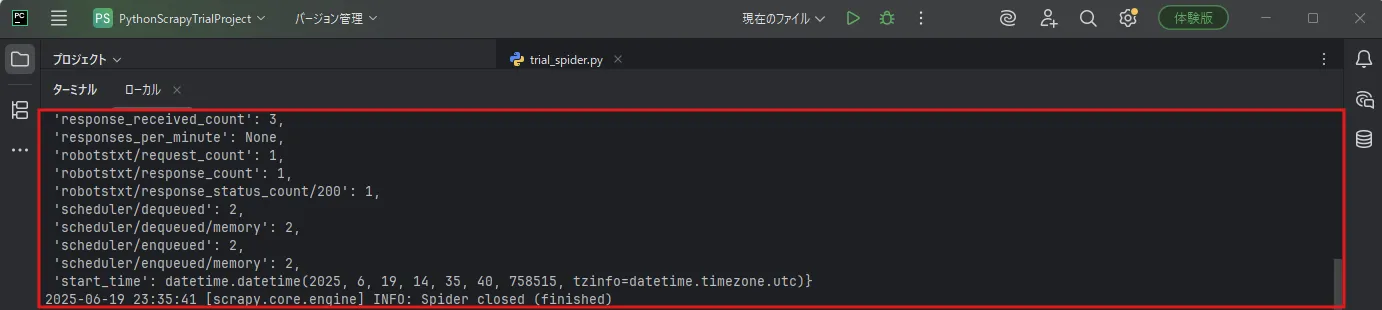
実行結果例)
2025-06-19 23:35:40 [scrapy.utils.log] INFO: Scrapy 2.13.2 started (bot: trial)2025-06-19 23:35:40 [scrapy.utils.log] INFO: Versions:{'lxml': '5.4.0', 'libxml2': '2.11.9', 'cssselect': '1.3.0', 'parsel': '1.10.0', 'w3lib': '2.3.1', 'Twisted': '25.5.0', 'Python': '3.13.4 (tags/v3.13.4:8a526ec, Jun 3 2025, 17:46:04) [MSC v.1943 ' '64 bit (AMD64)]', 'pyOpenSSL': '25.1.0 (OpenSSL 3.5.0 8 Apr 2025)', 'cryptography': '45.0.4', 'Platform': 'Windows-11-10.0.26100-SP0'}2025-06-19 23:35:40 [scrapy.addons] INFO: Enabled addons:[]2025-06-19 23:35:40 [asyncio] DEBUG: Using selector: SelectSelector2025-06-19 23:35:40 [scrapy.utils.log] DEBUG: Using reactor: twisted.internet.asyncioreactor.AsyncioSelectorReactor2025-06-19 23:35:40 [scrapy.utils.log] DEBUG: Using asyncio event loop: asyncio.windows_events._WindowsSelectorEventLoop2025-06-19 23:35:40 [scrapy.extensions.telnet] INFO: Telnet Password:2025-06-19 23:35:40 [scrapy.middleware] INFO: Enabled extensions:['scrapy.extensions.corestats.CoreStats', 'scrapy.extensions.telnet.TelnetConsole', 'scrapy.extensions.logstats.LogStats']2025-06-19 23:35:40 [scrapy.crawler] INFO: Overridden settings:{'BOT_NAME': 'trial', 'FEED_EXPORT_ENCODING': 'utf-8', 'HTTPCACHE_ENABLED': True, 'HTTPCACHE_EXPIRATION_SECS': 86400, 'NEWSPIDER_MODULE': 'trial.spiders', 'ROBOTSTXT_OBEY': True, 'SPIDER_MODULES': ['trial.spiders']}2025-06-19 23:35:40 [scrapy.middleware] INFO: Enabled downloader middlewares:['scrapy.downloadermiddlewares.offsite.OffsiteMiddleware', 'scrapy.downloadermiddlewares.robotstxt.RobotsTxtMiddleware', 'scrapy.downloadermiddlewares.httpauth.HttpAuthMiddleware', 'scrapy.downloadermiddlewares.downloadtimeout.DownloadTimeoutMiddleware', 'scrapy.downloadermiddlewares.defaultheaders.DefaultHeadersMiddleware', 'scrapy.downloadermiddlewares.useragent.UserAgentMiddleware', 'scrapy.downloadermiddlewares.retry.RetryMiddleware', 'scrapy.downloadermiddlewares.redirect.MetaRefreshMiddleware', 'scrapy.downloadermiddlewares.httpcompression.HttpCompressionMiddleware', 'scrapy.downloadermiddlewares.redirect.RedirectMiddleware', 'scrapy.downloadermiddlewares.cookies.CookiesMiddleware', 'scrapy.downloadermiddlewares.httpproxy.HttpProxyMiddleware', 'scrapy.downloadermiddlewares.stats.DownloaderStats', 'scrapy.downloadermiddlewares.httpcache.HttpCacheMiddleware']2025-06-19 23:35:40 [scrapy.middleware] INFO: Enabled spider middlewares:['scrapy.spidermiddlewares.start.StartSpiderMiddleware', 'scrapy.spidermiddlewares.httperror.HttpErrorMiddleware', 'scrapy.spidermiddlewares.referer.RefererMiddleware', 'scrapy.spidermiddlewares.urllength.UrlLengthMiddleware', 'scrapy.spidermiddlewares.depth.DepthMiddleware']2025-06-19 23:35:40 [scrapy.middleware] INFO: Enabled item pipelines:[]2025-06-19 23:35:40 [scrapy.core.engine] INFO: Spider opened2025-06-19 23:35:40 [scrapy.extensions.logstats] INFO: Crawled 0 pages (at 0 pages/min), scraped 0 items (at 0 items/min)2025-06-19 23:35:40 [scrapy.extensions.httpcache] DEBUG: Using filesystem cache storage in D:\PyCharmProjects\PythonScrapyTrialProject\trial\.scrapy\httpcache2025-06-19 23:35:40 [scrapy.extensions.telnet] INFO: Telnet console listening on 127.0.0.1:60232025-06-19 23:35:40 [scrapy.core.engine] DEBUG: Crawled (200) <GET https://www.digital.go.jp/robots.txt> (referer: None)2025-06-19 23:35:40 [scrapy.core.engine] DEBUG: Crawled (200) <GET https://www.digital.go.jp/> (referer: None)2025-06-19 23:35:41 [scrapy.core.engine] DEBUG: Crawled (200) <GET https://www.digital.go.jp/sitemap> (referer: None) https://www.digital.go.jp/: デジタル庁 https://www.digital.go.jp/sitemap: サイトマップ|デジタル庁2025-06-19 23:35:41 [scrapy.core.engine] INFO: Closing spider (finished)2025-06-19 23:35:41 [scrapy.statscollectors] INFO: Dumping Scrapy stats:{'downloader/request_bytes': 671, 'downloader/request_count': 3, 'downloader/request_method_count/GET': 3, 'downloader/response_bytes': 32812, 'downloader/response_count': 3, 'downloader/response_status_count/200': 3, 'elapsed_time_seconds': 0.36488, 'finish_reason': 'finished', 'finish_time': datetime.datetime(2025, 6, 19, 14, 35, 41, 123395, tzinfo=datetime.timezone.utc), 'httpcache/firsthand': 3, 'httpcache/miss': 3, 'httpcache/store': 3, 'httpcompression/response_bytes': 155000, 'httpcompression/response_count': 3, 'items_per_minute': None, 'log_count/DEBUG': 7, 'log_count/INFO': 10, 'response_received_count': 3, 'responses_per_minute': None, 'robotstxt/request_count': 1, 'robotstxt/response_count': 1, 'robotstxt/response_status_count/200': 1, 'scheduler/dequeued': 2, 'scheduler/dequeued/memory': 2, 'scheduler/enqueued': 2, 'scheduler/enqueued/memory': 2, 'start_time': datetime.datetime(2025, 6, 19, 14, 35, 40, 758515, tzinfo=datetime.timezone.utc)}2025-06-19 23:35:41 [scrapy.core.engine] INFO: Spider closed (finished)